Your Phone Is Holding Collateral: The Slow-Uninstall Rule for Pending Coins
Free coins rarely arrive with a receipt. You tap through an offer, a game installs, a reward shows up, and your first instinct is to reclaim the storage space. That instinct is understandable—especially on a phone that is already juggling photos, group chats, and a suspicious number of food-delivery apps. But in the rewards world, the moment a payout appears is not always the moment it becomes final. Sometimes your phone is effectively holding collateral, and deleting the game too soon can turn a clean reward into a pending coin that never lands.
This is not about being paranoid. It is about understanding the paperwork behind the payout.
The Reward Is Not Always Yours on Day One
Many offerwalls do not pay for an install alone. They pay for a pattern: install, open, play for a bit, and stick around for a set number of days. Advertisers want users who actually try a game, not users who download it, grab a bonus, and vanish before the loading screen finishes. So the offerwall attaches a retention window—often a handful of days, sometimes a week or more—before the reward is considered fully earned.
That window is usually disclosed somewhere in the offer terms. It is also usually buried under the part where everyone clicks “accept” at highway speed. If you uninstall during that period, the offerwall may treat it as a broken condition. The reward can stay pending, get denied, or—worse—land in your balance and later be reversed when the advertiser reports that the install did not meet the retention requirement.
A reversal is the part that stings. It is not just a missing reward. It can pull your balance backward and make every future cash-out feel less certain.
What Retention Windows Actually Measure
Retention is not a vibe check. It is a data check. Offerwall partners typically track whether the app was installed, opened, and kept active for the required period. Some offers care only about the install and first launch. Others want daily opens, a certain level of progress, or a minimum number of sessions. The exact rules vary by offer and by advertiser, which is why two similar-looking game offers can have very different cleanup timelines.
For casual players, the practical takeaway is simple: read the offer card before you install, and note the retention period somewhere you will actually see it. A screenshot is fine. A note in your phone is fine. A mental promise made while waiting in a drive-thru line is not fine.
Device IDs: The Part You Cannot Clean Up
Here is where it gets a little nerdy, but stay with me. Reward apps and offerwalls often rely on device-level identifiers and app-level tracking to confirm that an install happened, that it belongs to your account, and that the game stayed put long enough to qualify. That tracking is not always tied to your name. It can be tied to your device, your advertising identifier, or a combination of signals that help the offerwall match an install to a reward event.
This matters because deleting an app does not necessarily delete the trail. The offerwall may still know the game was installed and removed. If the removal happens before the retention window closes, that trail can become evidence against your payout. And because device identifiers can persist across reinstalls, simply downloading the game again later may not erase the gap. In some cases, a reinstall can even complicate the record rather than fix it.
That is why the safe move is not “delete now, reinstall if there is a problem.” The safe move is to wait until the offer’s conditions are satisfied, then clean up.
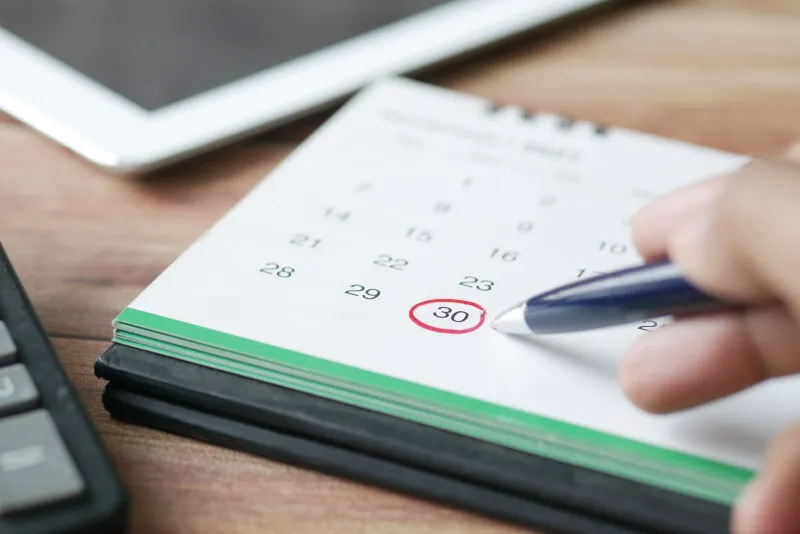
A Slow-Uninstall Calendar for Normal People
You do not need a spreadsheet to manage this. A simple routine works.
First, when you start a game offer, check the terms for the retention period and the payout trigger. Write down the date the window closes. If the offer says “keep installed for seven days,” mark day eight as your cleanup day, not day one.
Second, do not uninstall the moment coins appear. Treat the visible reward as a provisional arrival, not a final settlement. Give it a buffer—at least a day or two after the stated window—so any delayed tracking or advertiser confirmation can catch up.
Third, keep the game installed but stop grinding if you are done with it. You usually do not need to play hard for the whole retention period. You just need the app to remain on the device and, in some offers, be opened occasionally. Check the terms so you know whether a daily launch is required.
Fourth, clean up in batches. Once a week, review which games have cleared their retention windows and which ones are still holding pending coins. Delete only the cleared ones. This keeps your home screen from turning into a graveyard of half-finished offers and makes it easier to spot the apps that still need to stay put.
When a Reversal Is Legit—and When to Push Back
Not every reversal is a scam. If you uninstall early, skip a required action, or use a device that the offerwall cannot verify, the advertiser may have a legitimate reason to claw back the reward. That is frustrating, but it is not necessarily foul play.
Still, you should push back when the facts do not line up. If you kept the game installed through the full window, opened it as required, and still saw a reversal, gather your evidence: the offer terms, the install date, screenshots of the reward status, and any support messages. Contact the reward app’s support first, then the offerwall if needed. Keep your tone calm and specific. “I completed the retention period and the reward was reversed” is a better opener than a paragraph of all-caps frustration.
The Cleanup Habit That Saves Your Balance
The install-and-run habit feels efficient because it frees space immediately. But in a reward app, efficiency is not just about storage. It is about timing. A game that sits quietly on your phone for a week is not clutter—it is collateral for a payout that has not fully cleared.
So before you swipe to delete, ask one question: has this game finished its retention window? If the answer is fuzzy, wait. Your phone can handle a little clutter. Your coin balance is less forgiving.
As of November 2026, the safest free-coin routine is still the least glamorous one: read the offer, note the window, keep the app installed until the clock runs out, and clean up after the payout is truly settled. Slow uninstalls are boring. Boring is good when the alternative is watching your balance shrink after you thought you were done.